ARRIVED FROM DIRECT OUTREACH“You were invited to review the field service software offer discussed in our email.”
ARRIVED FROM SEARCH“Field service scheduling software for multi-site HVAC teams”
ARRIVED FROM A PAID SEARCH AD“Reduce duplicate job entry across office and field teams.”
Keep every branch moving. From dispatch to completion.
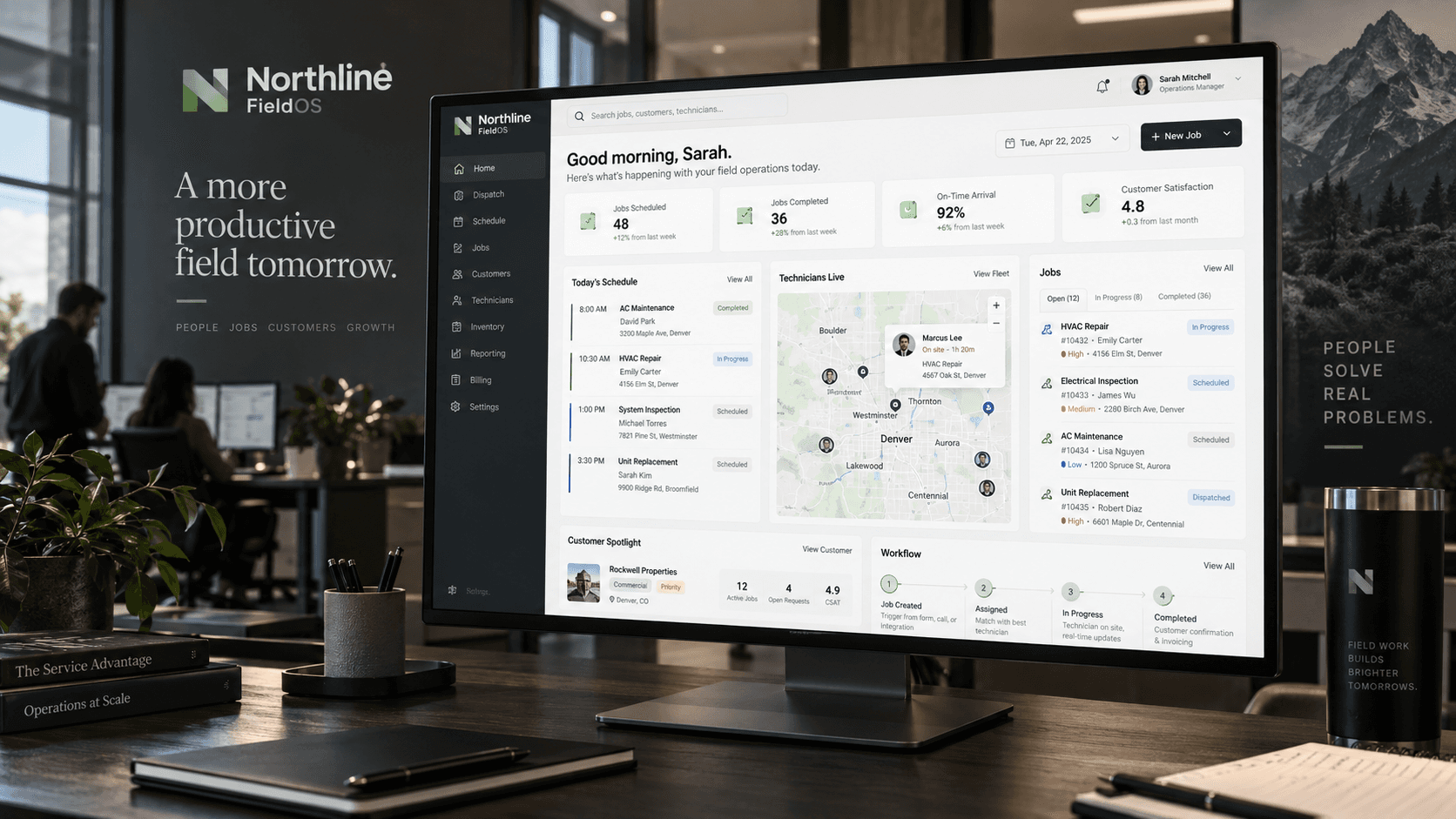
Northline FieldOS brings scheduling, dispatch, job updates, recurring maintenance and customer records into one coordinated workspace for growing HVAC teams.
Designed for teams with 10–150 field technicians, multiple branches and a mix of service, maintenance and installation work.
FIELD SERVICE TEAMS RUNNING ON NORTHLINE






More branches should not mean more guesswork.
The day’s work changes quickly. An urgent call comes in. A technician needs the last service note. A maintenance visit is due at another branch. Northline FieldOS brings those moving parts into the same operating picture.
- Scheduling
- Plans change while the day is already underway.Keep assignments, priorities and job status in one dispatch view.
- Field information
- Technicians need context before they arrive.Bring the job brief, site details and previous notes with them.
- Customer continuity
- The next visit should not start from scratch.Keep customer and site history attached to the work.
- Repeat maintenance
- Recurring commitments need a clear place in the schedule.Make upcoming maintenance visible alongside today’s jobs.
One place to see the work. And what needs attention next.
Move between dispatch, job progress and customer context without losing sight of the next action. Office teams get a shared view. Field teams get the information they need for the job in front of them.
- North branch
- Central branch
- South branch
Built around the way service work moves.
Scheduling and dispatch
Assign work, review technician schedules and respond to changing priorities from a shared dispatch view.
Job progress
Keep job notes, photos, parts-used notes and completion status attached to the work.
Customer and site history
Bring previous visits, service notes and site context into the next job brief.
Recurring maintenance
Organise repeat visits and upcoming maintenance commitments alongside new service work.
Branch visibility
Review work across branches while keeping local teams focused on their own schedules.
Mobile field access
Give technicians access to the relevant job information and a way to update progress while on site.
The next job starts with the right context.
A clear brief, the relevant service history and a place to record the outcome. Northline FieldOS is designed to keep the office and field team working from the same job information.
- Review the assignment.
- Check the site history.
- Update progress at the job.

The practical details, before the conversation.
- Product type
- Cloud-based field-service software concept
- Designed-for team profile
- Approximately 10–150 field technicians
- Operating model
- One or more branches, with shared office and field workflows
- Work types
- Service, maintenance and installation coordination
- Core records
- Customers, sites, jobs, notes and service history
- Field access
- Mobile access to job information and updates
- Adoption approach
- Guided workflow review and a staged rollout plan
- Commercial path
- Walkthrough → requirements review → implementation and pricing confirmation
Keep the systems that matter in the conversation.
Already using accounting, customer-management or scheduling software? Include those requirements in your walkthrough brief so the right data flows and compatibility questions can be reviewed.
Start with fit. Confirm the commercial detail next.
A focused walkthrough should establish the team, branches, workflows and integration requirements before an implementation scope and commercial proposal are prepared.
For teams ready to coordinate the next stage of growth.
Good fit
- HVAC businesses with office and field teams coordinating several jobs each day
- Operators managing more than one branch or a growing technician team
- Businesses with recurring maintenance alongside service and installation work
- Teams prepared to review their workflow rather than reproduce every existing workaround
Less suitable
- Sole operators with very limited coordination needs
- Buyers seeking a bespoke enterprise-software build
- Buyers requiring capabilities beyond the illustrated product scope
A clearer working day, from three perspectives.
“We needed better visibility across service jobs and recurring maintenance work. Northline FieldOS gave our office team a clearer operating picture without making the field process heavier.”

“The biggest improvement was consistency. Dispatch, job notes and customer history became much easier to track across locations.”

“It helped our team move from ad hoc coordination to a more repeatable operating rhythm.”

Ask Northline FieldOS.
Your operation. Your questions. Your way in.
Explore the available ways to discuss fit, workflows and rollout.
Tell us how your team works.
Ask about branches, recurring maintenance, field workflows or rollout.
You can also open Ask Northline FieldOS at the bottom right of the page.
Try asking
- “We have three branches and 45 technicians. How would recurring maintenance fit into the workflow?”
- “What should we bring to a walkthrough?”
A buyer asks whether Northline fits their operation.
Scripted example. No enquiry is being sent.
Continue the conversation
Prefer to talk by phone?
Call the Northline AI sales assistant to discuss the software example and your questions.
Phone access is not available in this showcase yet.
Have Northline call you.
Request one AI demonstration call to your number. Add a question so the assistant knows where to begin.
Callbacks are not available in this showcase yet.
Preview only · nothing is sent
Put your question in writing.
Send your question to the Northline demonstration desk, handled by Commerce One.
Email is not available in this showcase yet.
Preview only · nothing is sent
Northline FieldOS is fictional. This showcase lets you try the available Commerce One sales-enquiry features.
Start with the work you need the system to do.
A useful walkthrough begins with your operation, not a generic feature tour. The next steps bring the workflows, integration questions and commercial decisions into one clear brief.
Ask your questions
Explore team fit, daily workflows and the areas that need a closer look.
Build the walkthrough brief
Bring together branches, team size, current tools and the workflows that matter most.
Review the requirements
In a real deployment, the provider would assess compatibility, data, responsibilities and implementation needs.
Confirm scope and terms
The provider would confirm pricing, rollout scope and material terms before commitment.
Plan adoption
A real customer would agree the rollout plan. This showcase stops before purchase or implementation.
Buyer questions
What type of business is Northline FieldOS designed for?
The example is designed around growing HVAC businesses coordinating office teams, field technicians and recurring work. The illustrated profile is roughly 10–150 field technicians, with one or more branches.
Can it bring more than one branch into the same operating view?
Multi-branch visibility is part of the fictional product scope. A real provider would confirm how branches, permissions and workflows should be configured for the specific business.
What can field technicians see and update?
The concept includes mobile access to job briefs, customer and site context, notes and progress updates. Particular devices, app availability, connectivity requirements and offline behaviour would need confirmation in a real product evaluation.
Is this only for maintenance work?
No. The example covers service, recurring maintenance and installation coordination. A walkthrough would focus on how those types of work move through the buyer’s actual operation.
How does customer history fit into the workflow?
The illustrated system keeps customer and site information alongside job notes and service history so the next visit can begin with useful context rather than a blank record.
Will it work with our accounting or CRM software?
Those requirements belong in the walkthrough brief. No particular third-party integration is verified by this showcase. The assistant can capture the systems and data flows you need reviewed without promising compatibility.
How is pricing decided?
A real proposal would consider users, branches, workflows and implementation requirements. Northline FieldOS is fictional and there is no purchasable price or contract on this page. Commerce One’s own service fees are separate and available through its Pricing page.
How long would rollout take?
The example uses a guided requirements review and staged rollout concept. It does not promise a universal implementation duration. Existing data, integrations and process changes would need assessment first.
Bring your next operating question to Northline.
Explore the workflows, ask about the areas that matter to your team and see how a focused walkthrough brief comes together.
Imagine this built around what you sell.
A focused offer page, product-specific answers and clear routes into a commercial conversation. Commerce One connects the acquisition channels you choose to the buyer experience and the follow-through around it.
Northline FieldOS is a fictional demonstration offer created by Commerce One.